Skip to content
View in the app

A better way to browse. Learn more.

Euro Truck Sim Community

A full-screen app on your home screen with push notifications, badges and more.

To install this app on iOS and iPadOS
  1. Tap the Share icon in Safari
  2. Scroll the menu and tap Add to Home Screen.
  3. Tap Add in the top-right corner.
To install this app on Android
  1. Tap the 3-dot menu (⋮) in the top-right corner of the browser.
  2. Tap Add to Home screen or Install app.
  3. Confirm by tapping Install.

Articles

1 article in this category

  1. Shandy ·
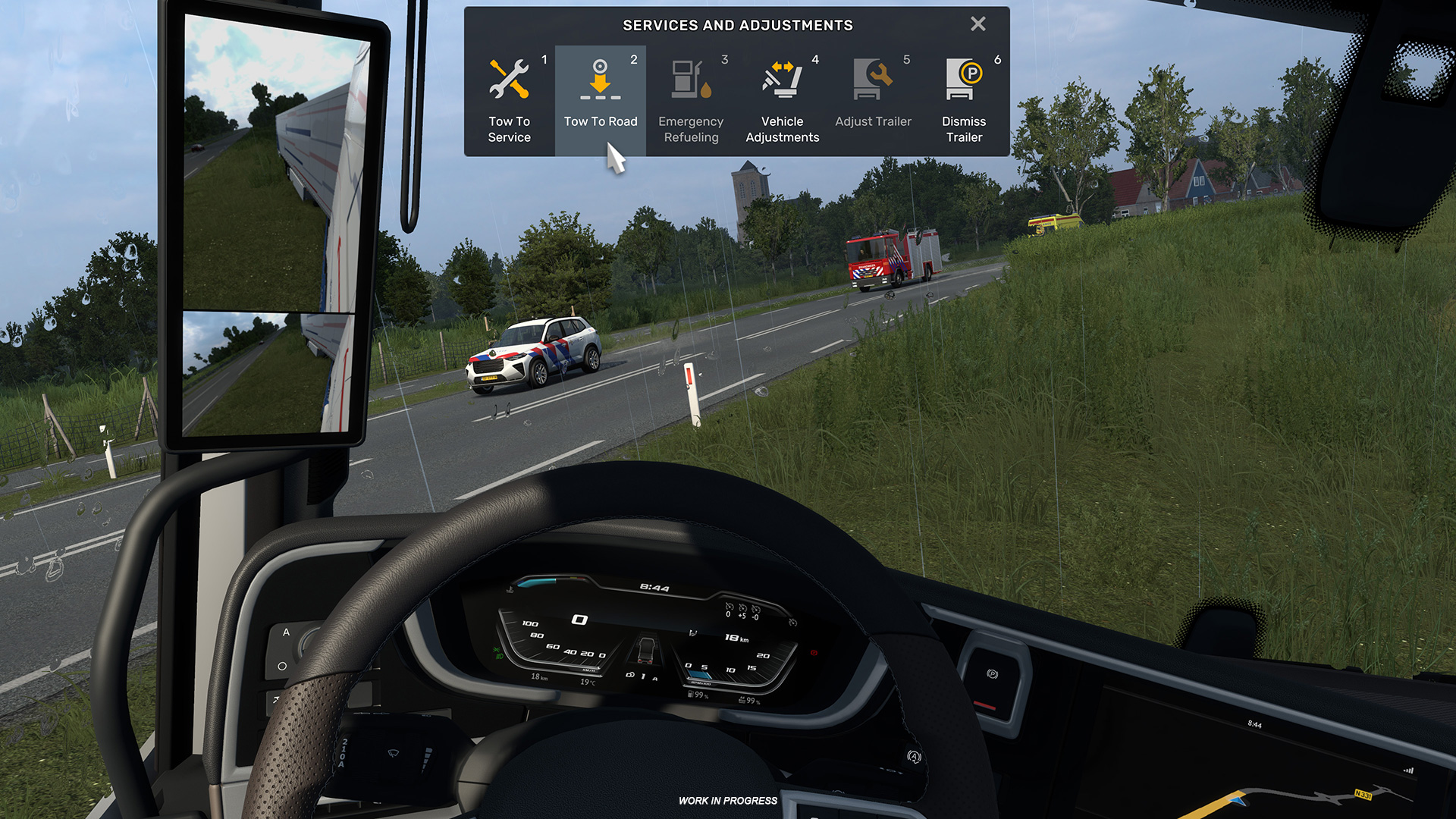
    Обновление 1.59 также добавит, возможно, давно кем-то ожидаемую функцию возврата на дорогу. Если вы съехали на обочину или влетели на отбойник и понимаете, что вернуться назад будет непросто, вы сможете через меню по F7 запросить буксировку до дороги, в таком случае с вас спишется небольшая плата, а грузовик будет размещён на ближайшей позиции на дороге. В случае с тяжёлыми повреждениями грузовика эта функция будет бесполезна, поскольку никакого ремонта и дозаправки производиться не будет.
    • 0 comments
    • 13 views

Account

Navigation

Search

Search

Configure browser push notifications

Chrome (Android)
  1. Tap the lock icon next to the address bar.
  2. Tap Permissions → Notifications.
  3. Adjust your preference.
Chrome (Desktop)
  1. Click the padlock icon in the address bar.
  2. Select Site settings.
  3. Find Notifications and adjust your preference.